> ## Documentation Index
> Fetch the complete documentation index at: https://new.docs.falkordb.com/llms.txt
> Use this file to discover all available pages before exploring further.
# Upload Data
> Use the Upload Data dialog to import CSV or Cypher batch files into the active graph.
The Upload Data dialog imports data into the currently selected graph using either Load CSV or Cypher batch mode.
## Load CSV flow
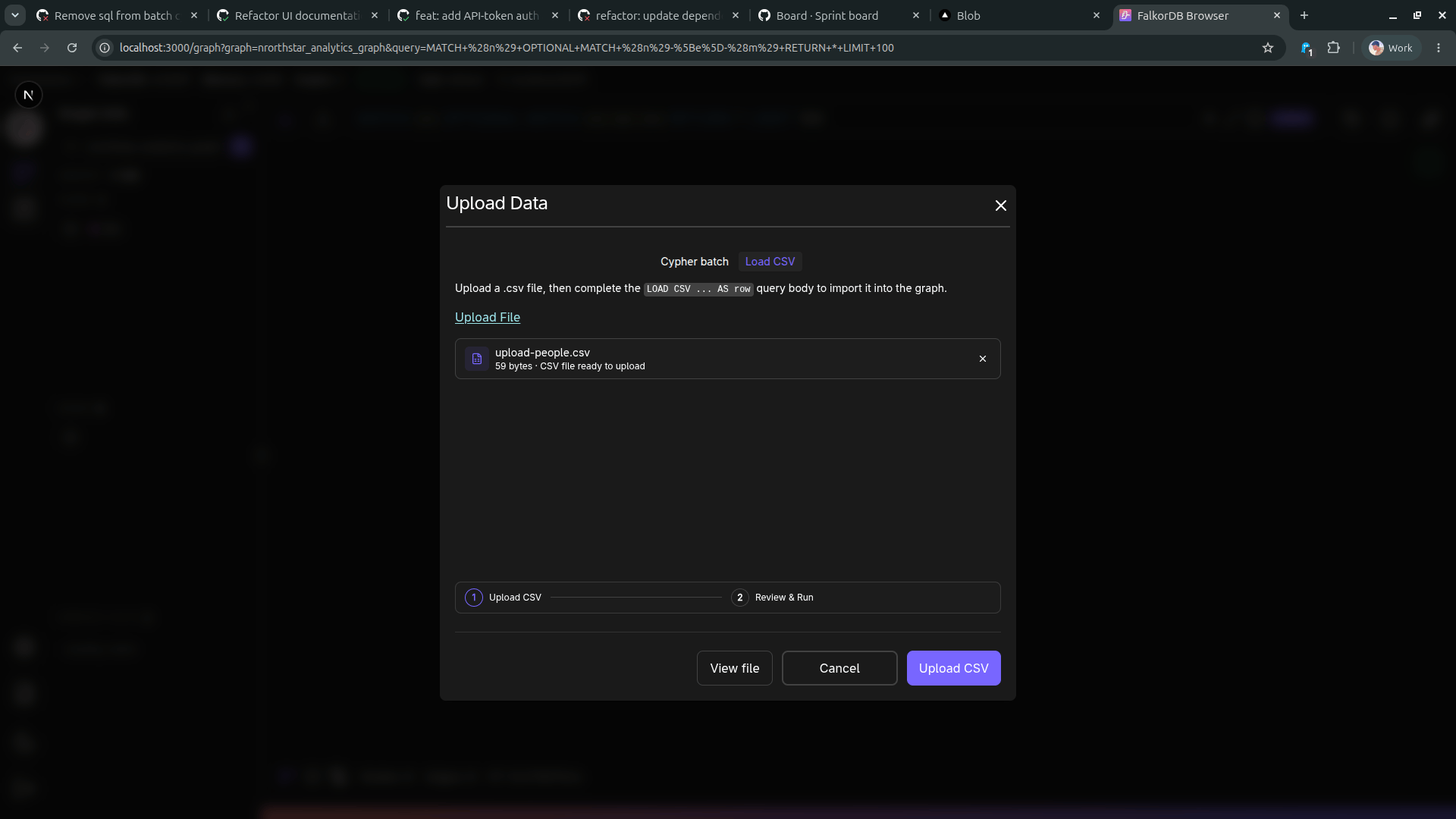
### Step 1: Upload the CSV file
Choose **Load CSV**, then select your CSV file.
 ### Step 2: Review and run
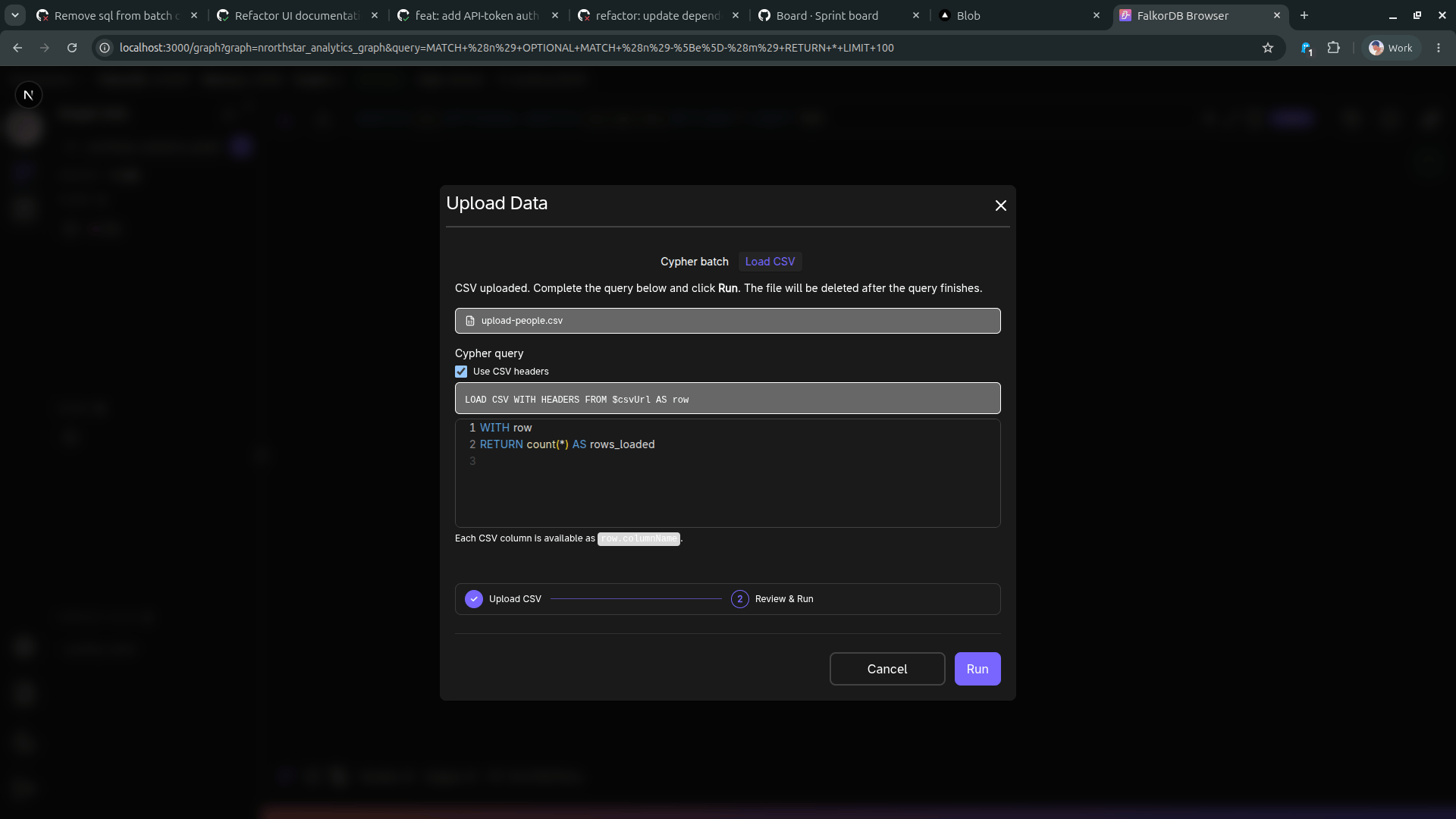
After upload, review the generated `LOAD CSV` query, adjust it if needed, then click **RUN**.
### Step 2: Review and run
After upload, review the generated `LOAD CSV` query, adjust it if needed, then click **RUN**.
 Notes:
* **Use CSV headers** can be toggled to map columns by header name.
* Each CSV column is available as `row.columnName` in the query body.
* The uploaded CSV file is temporary and removed after query execution finishes.
## Cypher batch flow
Switch to **Cypher batch** to upload a `.cypher` or `.txt` file containing one or more statements.
Notes:
* **Use CSV headers** can be toggled to map columns by header name.
* Each CSV column is available as `row.columnName` in the query body.
* The uploaded CSV file is temporary and removed after query execution finishes.
## Cypher batch flow
Switch to **Cypher batch** to upload a `.cypher` or `.txt` file containing one or more statements.
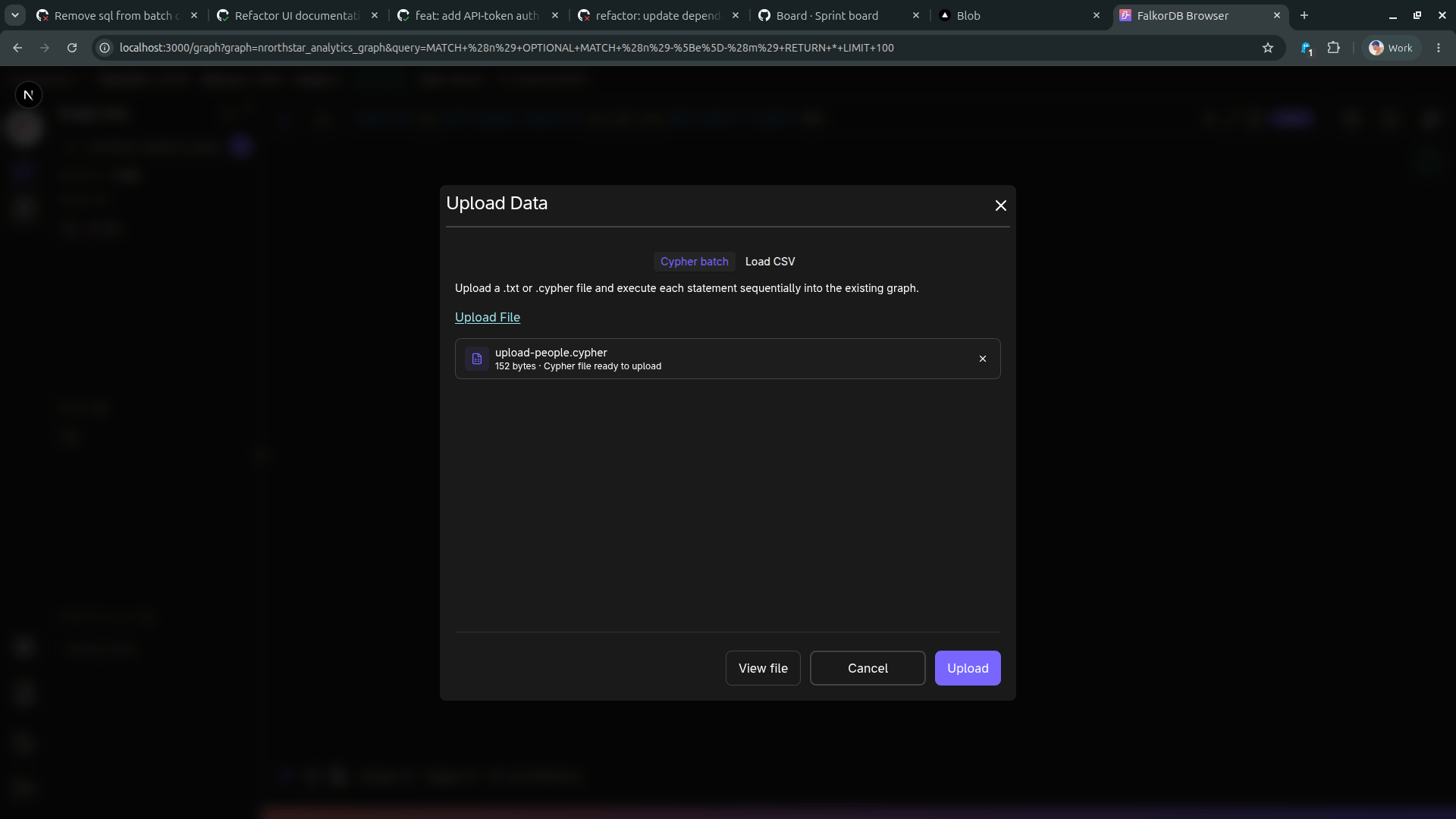 When you click **Upload**, statements execute sequentially in the active graph.
## When to use each mode
* **Load CSV**: Use this for tabular source data where you need explicit row-to-graph mapping logic.
* **Cypher batch**: Use this when you already have graph mutations prepared as Cypher statements.
## Frequently Asked Questions
Use `.csv` with Load CSV, or `.cypher` / `.txt` with Cypher batch.
Yes. The import runs against the currently selected graph in the Graph page.
Yes. After uploading a CSV, review and edit the query in step 2 before clicking Run.
Load CSV uploads tabular data and builds a query around `LOAD CSV`. Cypher batch executes statements from an uploaded script file sequentially.
When you click **Upload**, statements execute sequentially in the active graph.
## When to use each mode
* **Load CSV**: Use this for tabular source data where you need explicit row-to-graph mapping logic.
* **Cypher batch**: Use this when you already have graph mutations prepared as Cypher statements.
## Frequently Asked Questions
Use `.csv` with Load CSV, or `.cypher` / `.txt` with Cypher batch.
Yes. The import runs against the currently selected graph in the Graph page.
Yes. After uploading a CSV, review and edit the query in step 2 before clicking Run.
Load CSV uploads tabular data and builds a query around `LOAD CSV`. Cypher batch executes statements from an uploaded script file sequentially.